
Own a pickleball court?
Let players book it themselves.
- A free booking website for your court, like yourcourt.toleds.app
- Manage bookings, prices, walk-ins, open play and tournaments from your phone or computer
- Players can also book your court in the Toleds app
- No sign-up or monthly fee. You pay only when a player books.
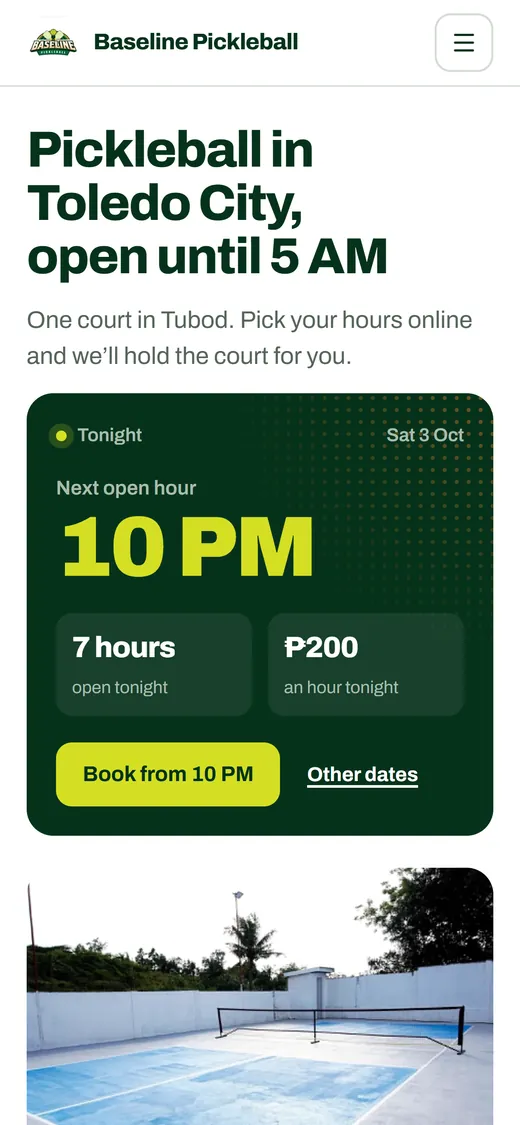
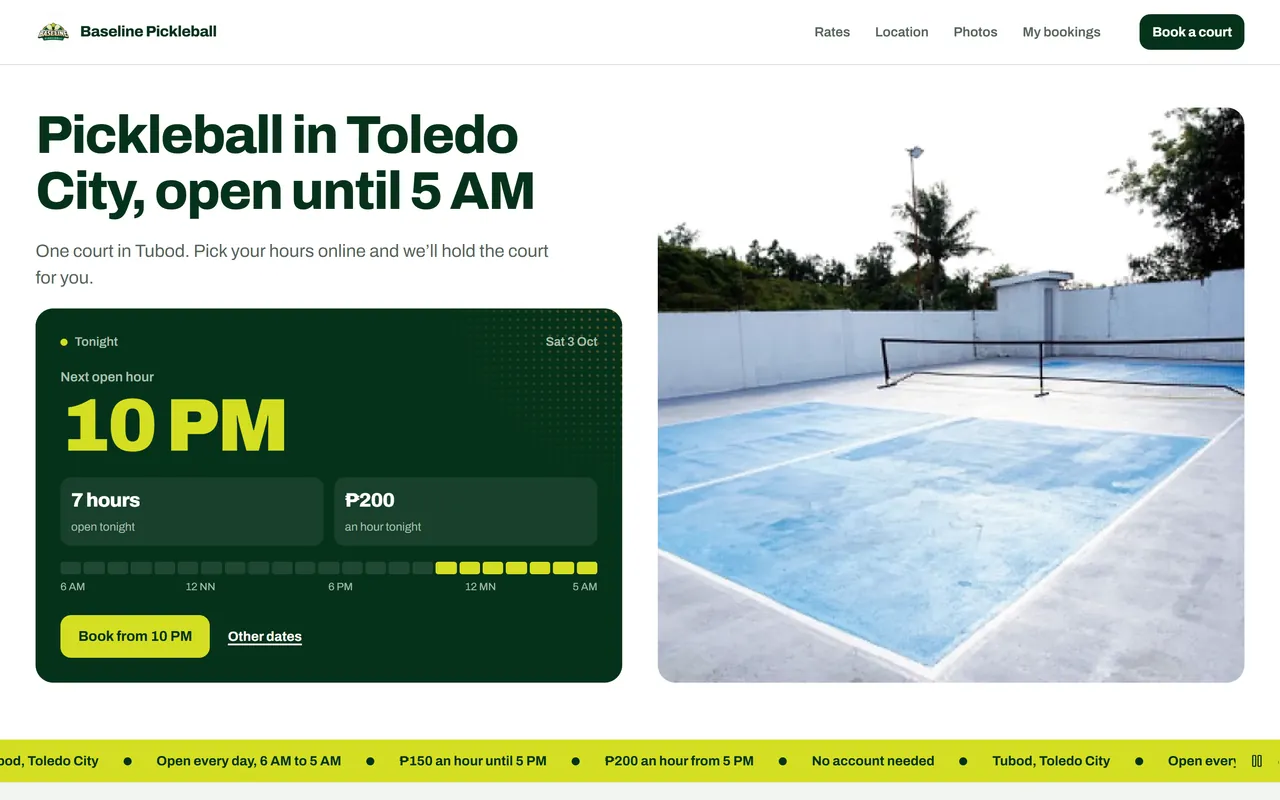
Baseline Pickleball 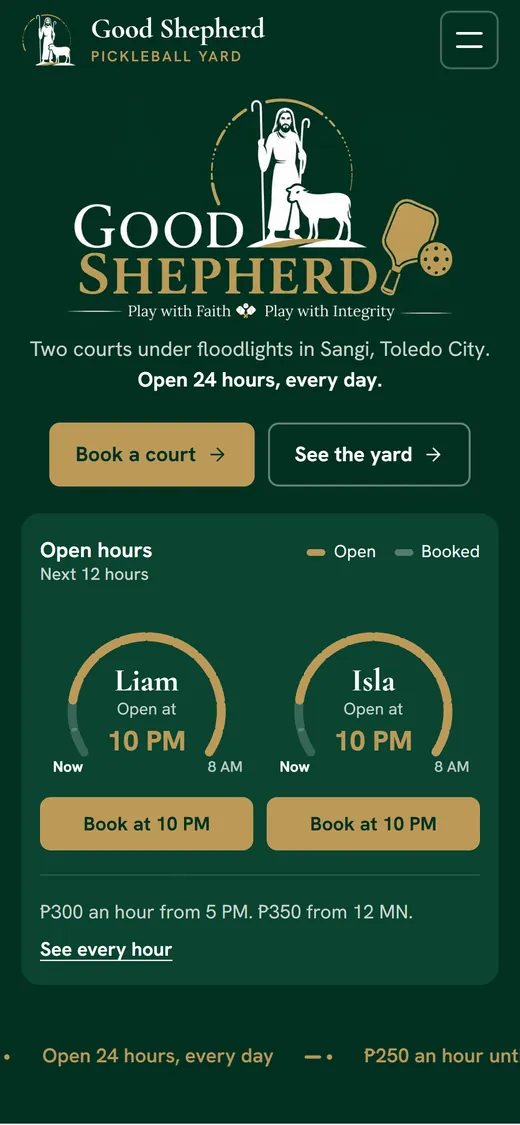
Good Shepherd Pickleball Yard 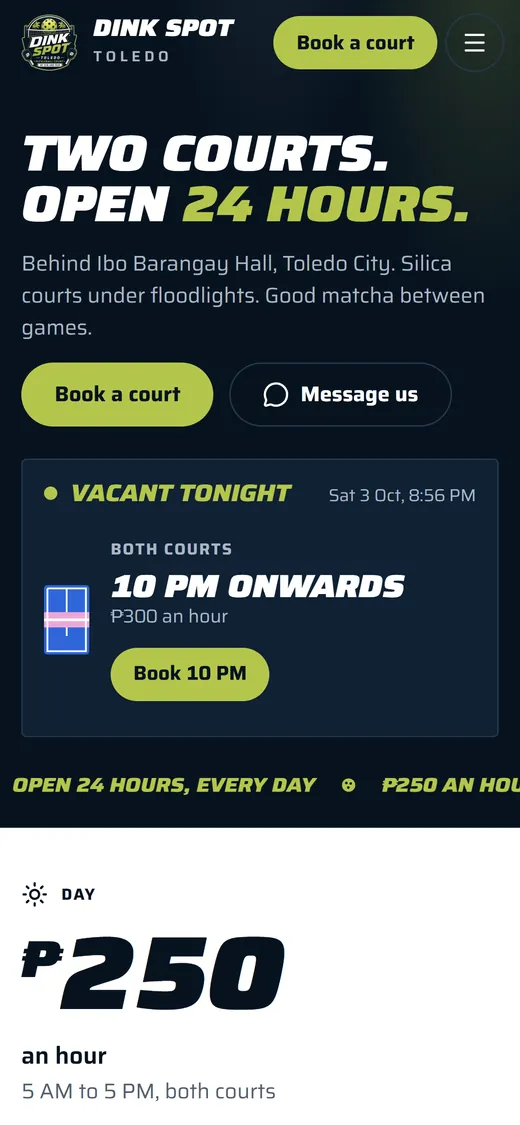
Dink Spot Toledo 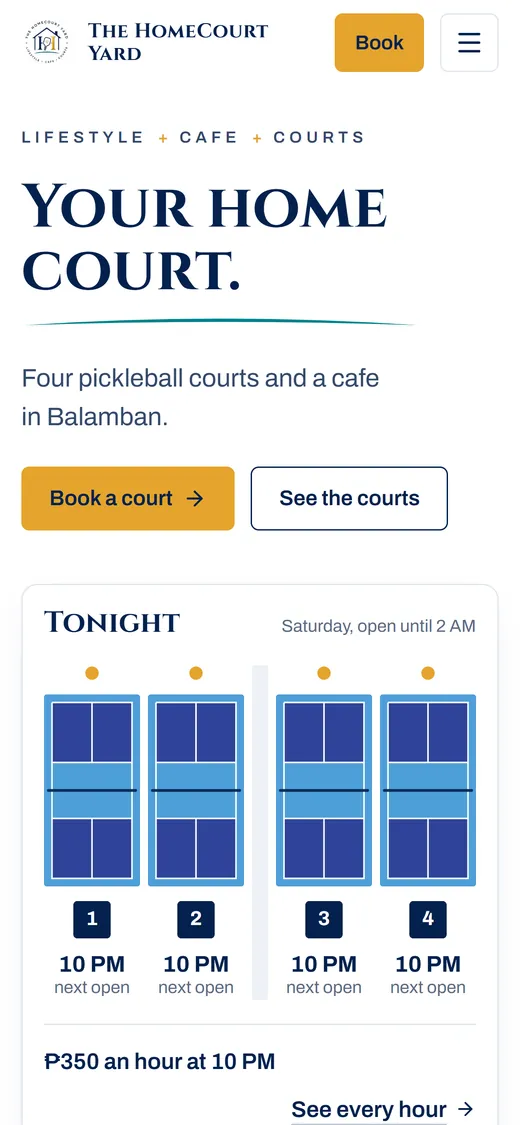
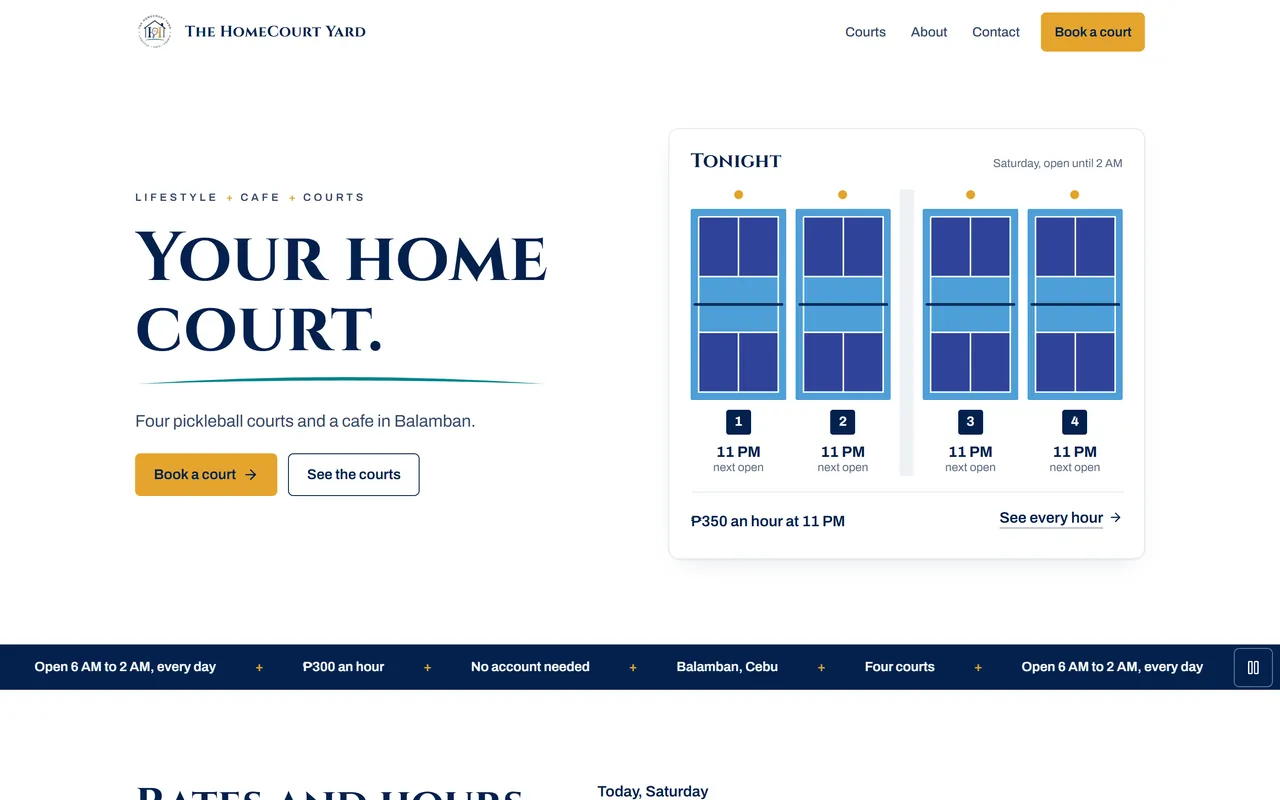
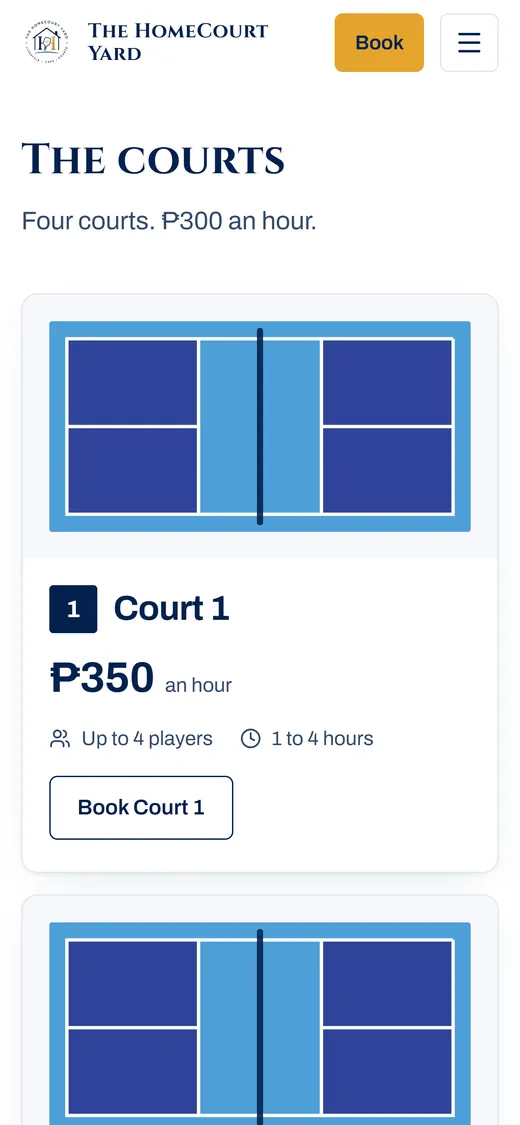
The HomeCourt Yard
Still booking courts over Messenger?
Two groups want the same hour.
Whoever books first gets the court. The next player picks another time.Chats at midnight asking which hours are open.
Your open hours are on your page. Players book any time.GCash screenshots to check.
With QR Ph, the player pays and the booking confirms itself.Adding up the day by hand.
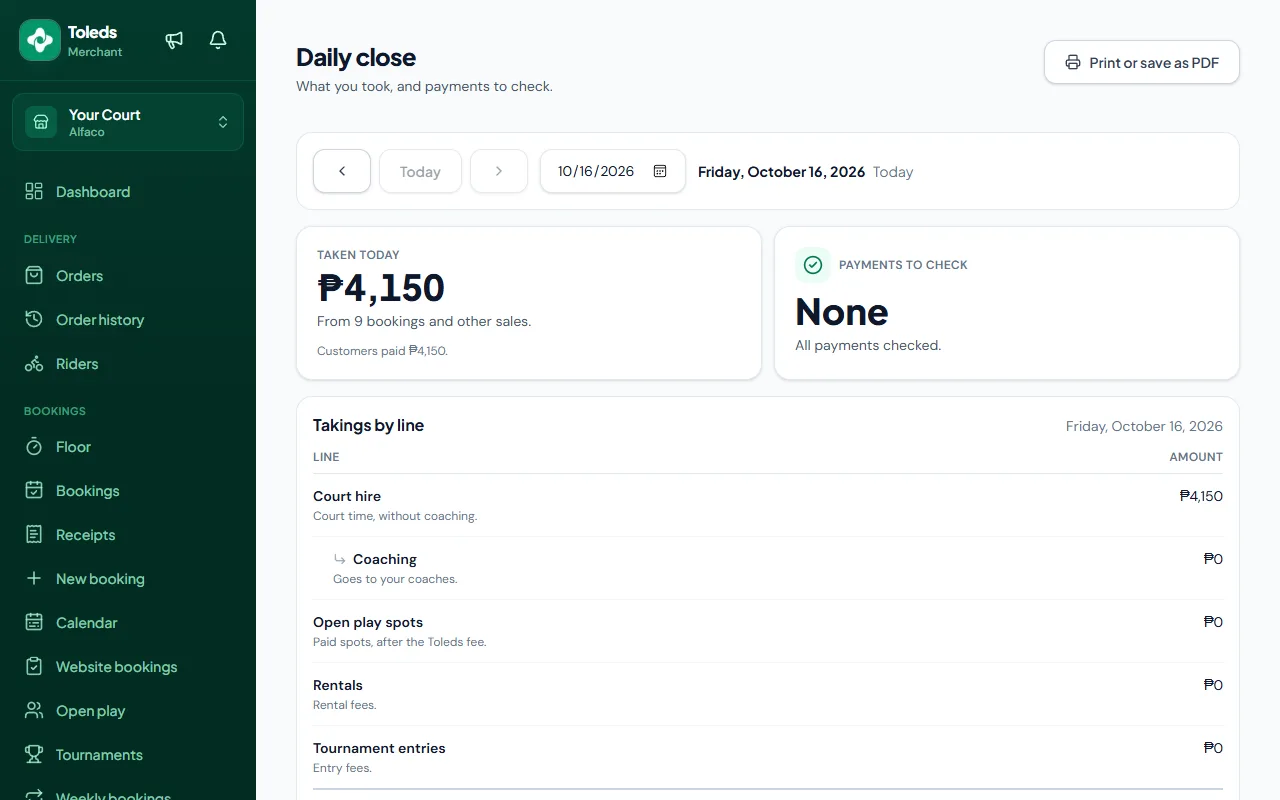
One screen shows what you took today: courts, coaching, open play and rentals.
Your own booking website
Free website design and hosting at yourcourt.toleds.app
Every website is designed by hand for your court. No templates.
Your logo, your colours, your photos.
- Players see your open hours and book a slot. No account needed.
- Your rates, photos and opening hours on one site.
- Directions with Google Maps and Waze.
- Players keep their bookings on their phone.
- Easy to find on Google.
Want your own .com address? It costs about ₱1,500 a year and isn't included.
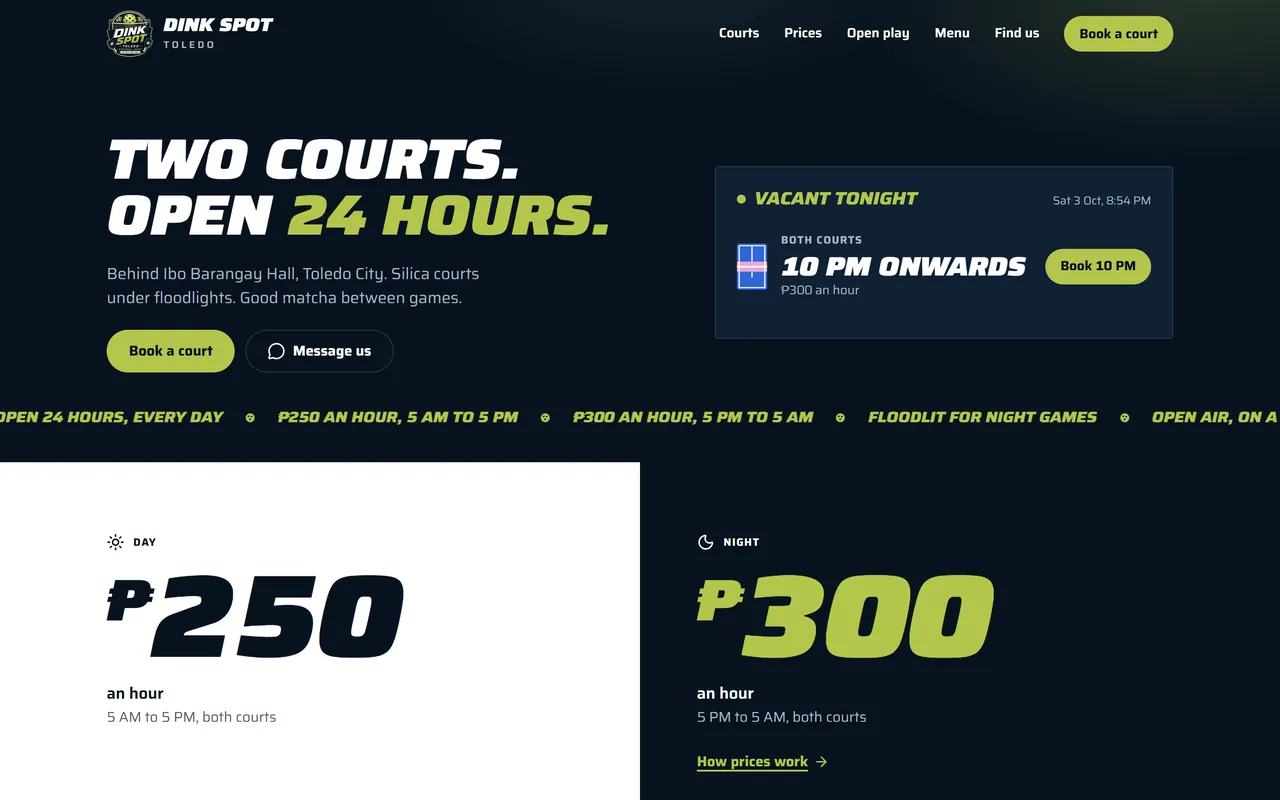
Websites we designed
Four courts, four different designs.
Good Shepherd Pickleball Yard
goodshepherd.toleds.app · Toledo City
goodshepherd.toleds.app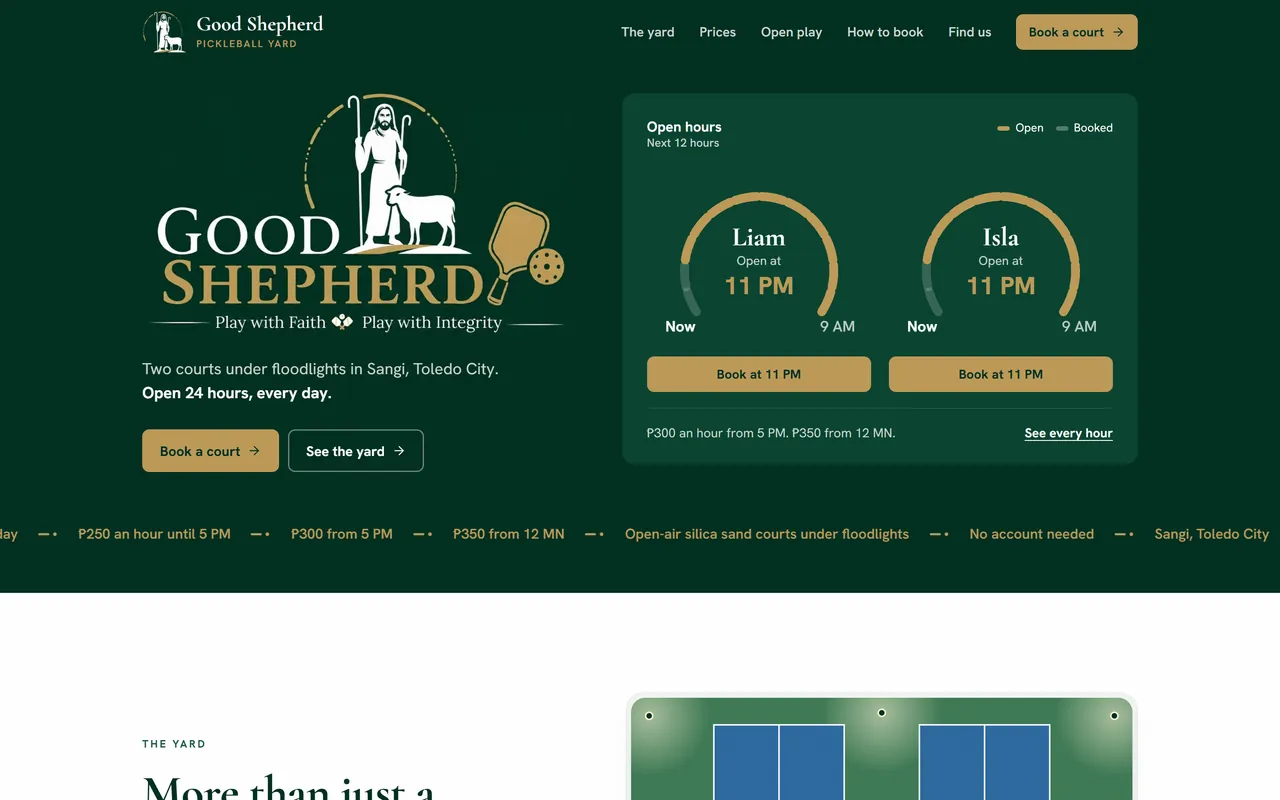
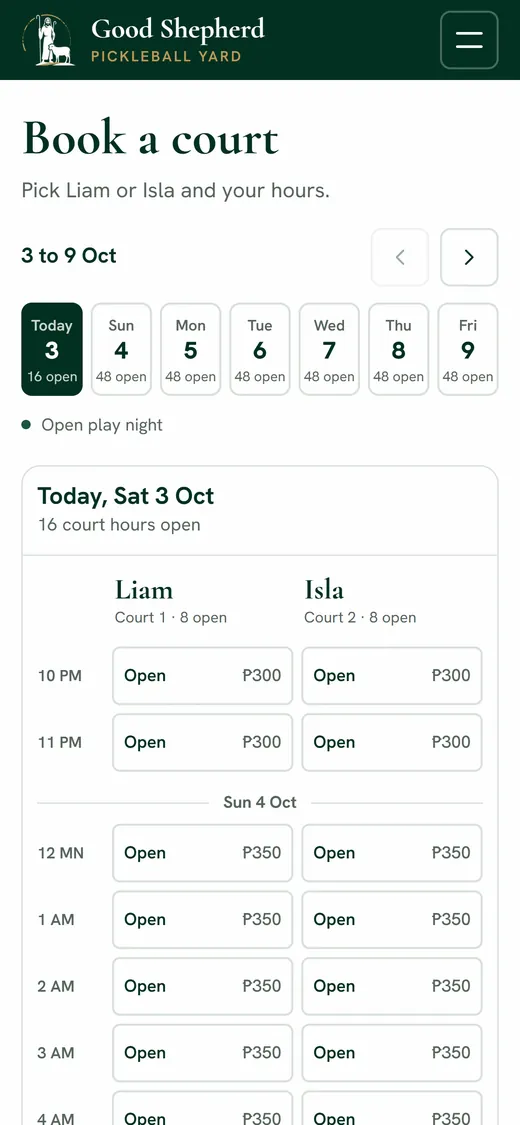
Dink Spot Toledo
dinkspottoledo.toleds.app · Toledo City
dinkspottoledo.toleds.app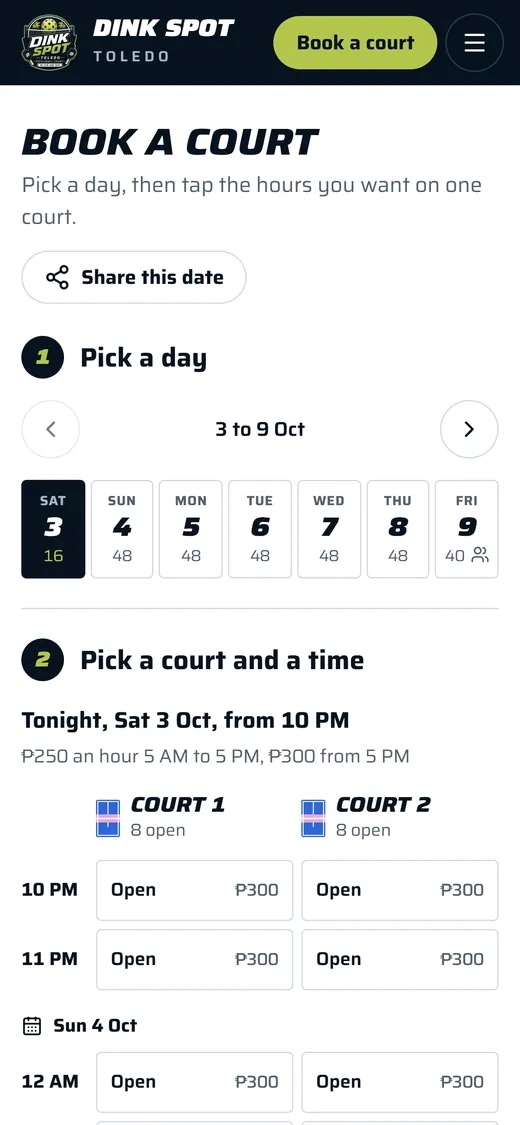
How players book
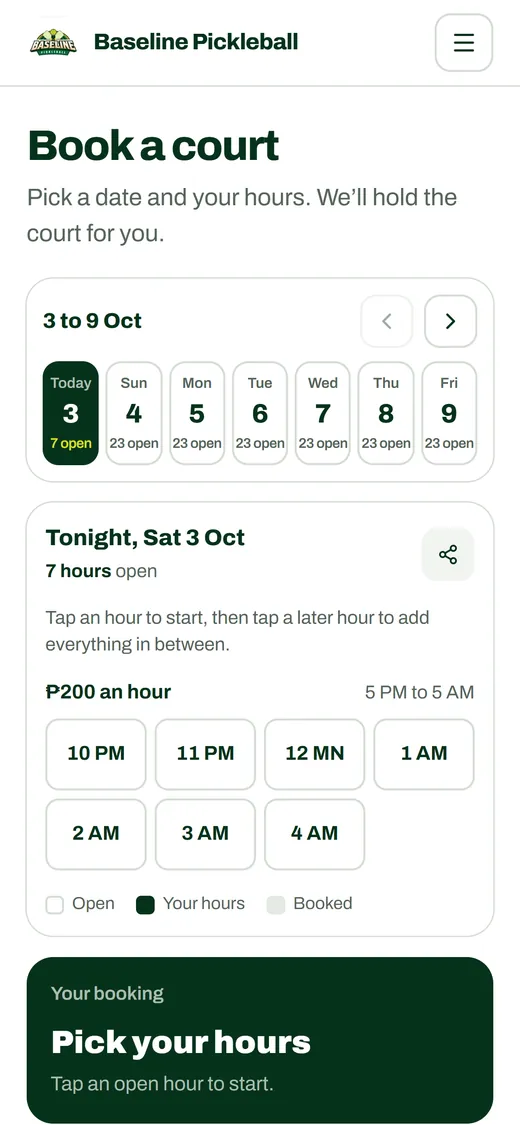
- Pick a date.
- Tap the hours they want.
- Enter a name and mobile number.
- Pay, and get a booking number.
Your courts also show in the Toleds app. People in Toledo already use it for food delivery.
How QR Ph works
The player pays. The booking confirms itself.
- yourcourt.toleds.app
Court 1 · Sat, Oct 11
7 PM to 9 PMScan to pay ₱500
Open GCash, Maya or your bank app and tap Scan.
This QR works until 3:15 PM.
Waiting for your payment.
- yourcourt.toleds.appConfirmed. You’re all set.
- Court
- Court 1
- Date
- Sat, Oct 11
- Time
- 7 PM to 9 PM
- Paid
- ₱500
- Paid with
- QR Ph
Bookings
Sat, Oct 11
1 PM to 3 PM
Court 2 · Leah Cruz
Paid · QR Ph
5 PM to 7 PM
Court 2 · Mark Tan
Paid · QR Ph
7 PM to 9 PM
Court 1 · Ana Reyes
Paid · QR Ph
No more checking payments.
- No screenshots or reference numbers to check.
- No Confirm button to tap.
- Late-night bookings are confirmed without you.
Run your courts from your phone or computer
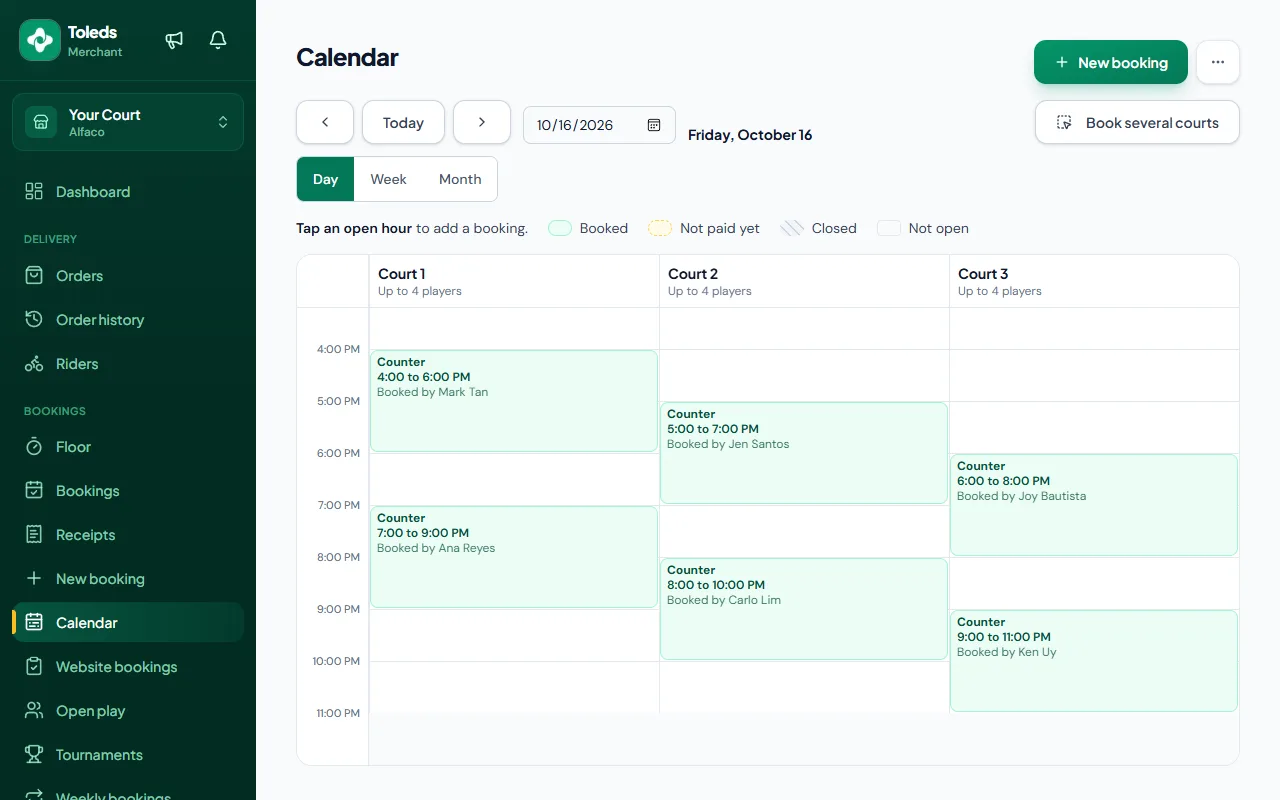
- See every court's bookings on one calendar.
- Set your open hours for each court.
- Set different prices by day and time.
- Close dates for events and holidays.
- Add walk-ins at the counter.
- Weekly repeat bookings for regular groups.
- Move, extend or cancel a booking.
- Run open play and tournaments.
- Daily close and a printable statement.
- See which hours sell, court by court.
More than courts
A POS for your counter
- Sell drinks and snacks.
- Rent out paddles and other gear. See what is still out.
- Add food and gear to a court's bill, or take cash.
No monthly fee. We don't take a cut from your counter sales.
Court 1
7 PM to 9 PM
Court timePaid online
2 × Paddle rental₱100
2 × Iced coffee₱240
1 × Fries₱90
To pay₱430
Have a café? Sell it for delivery.
- Customers order your food in the Toleds app.
- A rider picks it up and delivers it.
- Your menu and your courts on one page.
No commission. You get your full menu price.
Court Café
Café · Pickleball courts
Menu
Iced coffee₱120
Fries₱90
Chicken sandwich₱150
Courts
Open today until 11 PM
Pricing
No sign-up fee. No monthly fee.
You pay only when a player books.
₱5
per booking
You confirm the payment
Players pay you by GCash or cash. You check it and confirm the booking. Same ₱5 for a one-hour or a three-hour booking.
Recommended
3%
per booking, at least ₱15
Confirmed for you
Players pay online with QR Ph. The booking is confirmed automatically.
You decide who pays the fee: you or the player.
Example: a ₱500 booking
If the player pays the fee
| Player pays | ₱515 |
|---|---|
| You get | ₱500 |
| Toleds gets | ₱15 |
If you pay the fee
| Player pays | ₱500 |
|---|---|
| You get | ₱485 |
| Toleds gets | ₱15 |
Walk-ins and weekly bookings you add yourself have no fee.
Getting started
- 1
Message us
Tell us how many courts you have and what you charge. - 2
We set it up with you
Your courts, hours, peak rates and payment details. We design your website with your logo, colours and photos. - 3
You're live
Players book on your website and in the Toleds app. Every booking shows on your calendar.
Questions owners ask us.
What does it cost to list my courts?
No sign-up fee and no monthly fee. You pay ₱5 per booking when you confirm the payment, or 3% (at least ₱15) when the player pays online with QR Ph. You pick who pays the fee: you or the player. Walk-ins and weekly bookings you add yourself have no fee.
How does a customer pay?
It depends on the plan you pick. On the ₱5 plan, they send the money to your GCash with a screenshot and you confirm it from your dashboard. On the QR Ph plan, they pay online and the booking confirms itself. You can also take cash at the counter and record it as a walk-in.
Do my regulars need to install the app?
No. They can book a court from your own booking page without installing anything or making an account. The court is held for them straight away. On the QR Ph plan the booking confirms itself once they pay. On the ₱5 plan, you confirm it once they've paid.
Can I still take bookings over chat?
Yes. Add a booking from chat or in person as a walk-in. It shows up on your calendar and in your daily close with the rest.
I already use another booking system. Can I switch?
Yes. We set up your courts, hours and rates with you. Add the bookings you already have to your calendar, up to a year ahead. Bookings you add yourself have no fee.
What happens if two people book the same hour?
They can't. Whoever books first gets the court, and the next person is asked to pick another time. That goes for bookings from the app, your booking page and the counter.
Can I close a court for repairs?
Yes. Mark it out of service with a note, and players see the reason on the booking grid. You can also close the whole venue on set dates.